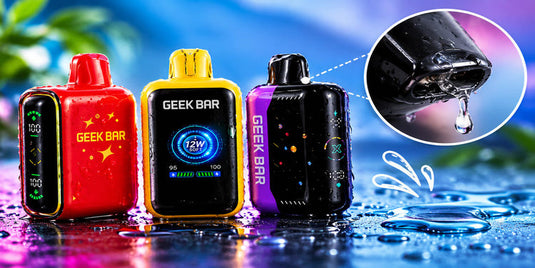
If your Geek Bar is leaking, common causes include condensation, liquid entering the airflow path, damaged internal seals, physical impact, or exposure to extreme temperatures. The exact cause depends on where the liquid appears and whether your device shows signs of damage. Identifying the location can help you understand the issue and decide what to do next.
If you notice liquid coming from your device, stop using it. Do not open, modify, or attempt to repair a leaking or damaged Geek Bar at home.
What Causes a Geek Bar to Leak?
Several issues can cause liquid to appear around a disposable vape. Some involve moisture near the mouthpiece, while others may indicate an internal problem.

1. Condensation Around the Mouthpiece
Not every wet spot means your device has an internal leak. Moisture can collect around the mouthpiece or airflow channel during use. This is known as condensation.
A small amount of moisture near the opening may be condensation. However, recurring liquid, visible pooling, or liquid emerging from the device's casing should not automatically be treated as normal.
What to look for: Check where the moisture appears without dismantling the device. If liquid continues to emerge or you cannot distinguish condensation from an actual leak, stop using the device and contact the seller for guidance.
2. Exposure to Extreme Temperatures
Temperature changes may affect how e-liquid moves inside a vape. Leaving a device in a hot car, near a heater, or in direct sunlight can expose it to conditions outside its intended operating range.
Travel and sudden environmental changes may also affect liquid movement. These factors do not prove that temperature caused the leak, but they are worth considering when reviewing how you stored the device.
What to do: Keep your Geek Bar away from direct sunlight, heaters, and other sources of extreme heat. Follow the storage instructions provided for your specific model.
3. Physical Damage or a Faulty Internal Seal
A disposable vape contains internal components designed to keep liquid contained. A drop, impact, cracked casing, or manufacturing defect may compromise the device.
Damage is more concerning when you notice liquid around a seam, a crack in the body, or leakage that began after the device was dropped.
What to look for: Check the exterior for visible cracks, dents, or other damage without opening the casing. If you suspect an internal fault, stop using the device and contact the retailer or manufacturer about a possible replacement.
4. Liquid Entering the Airflow Path
Liquid or moisture around the airflow openings may be associated with condensation or an internal fault. You might also notice gurgling or liquid collecting near an opening.
The location alone cannot establish the cause, and attempting to clear the airflow path may make the problem worse.
What to do: Stop using the device if you suspect liquid is escaping from an internal component. Do not blow forcefully into the device, shake it, or insert objects into its openings. These actions cannot reliably identify or repair the underlying problem.
Where Is Your Geek Bar Leaking From?
The location of the liquid can provide useful clues, although it cannot confirm the underlying cause.
Geek Bar Leaking From the Mouthpiece
Moisture at the mouthpiece may be condensation, but persistent liquid or visible pooling can indicate a problem. If liquid repeatedly appears or seems to be coming from inside the device, stop using it.
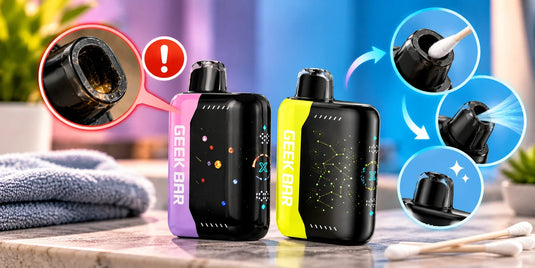
Avoid inserting tissues, cotton swabs, or other objects into the mouthpiece or airflow openings. Contact the seller if the moisture persists or you suspect an actual leak.
Liquid Around the Airflow Openings
Liquid near the airflow openings may indicate moisture in the airflow path or a problem with an internal component.
Do not attempt to clear the openings by blowing forcefully, shaking the device, or inserting tools. If liquid continues to appear, stop using the device and seek guidance from the retailer or manufacturer.
Geek Bar Leaking From the Bottom
If your Geek Bar is leaking from the bottom, possible explanations include physical damage, an internal fault, or liquid escaping through the device's structure. The location alone cannot establish which issue is responsible.
Inspect the exterior for visible damage, but do not remove panels or attempt to access the battery or internal components. Stop using the device and contact the seller or manufacturer about the appropriate next steps.
Can Different Geek Bar Models Experience Leaking?
Different Geek Bar models have different designs and features, so troubleshooting instructions for one device may not apply to another. Whether you use a Geek Bar Pulse, Geek Bar Pulse X, Geek Bar Skyview, Geek Bar Pulse 2, or Geek Bar Pulse X2, identify where the liquid appears and consult the instructions for your specific model.

- Geek Bar Pulse: If you notice moisture around the mouthpiece or airflow openings, do not automatically assume it is an internal leak. Persistent liquid or visible damage warrants further attention. For model-specific operating information, see our guide on how to use the Geek Bar Pulse.
- Geek Bar Pulse X: Check the exterior for visible damage or liquid around the casing. If the device continues to leak, stop using it and contact the seller. Our Geek Bar Pulse X user guide provides additional information about the device and its features.
- Geek Bar Skyview: Follow the model-specific instructions for handling and storage. Do not attempt to open the device to identify an internal leak.
- Geek Bar Pulse 2: If you notice liquid around the mouthpiece, airflow openings, or device body, stop using the device if you suspect an actual leak and seek guidance.
- Geek Bar Pulse X2: Do not assume that troubleshooting steps for another Geek Bar model will resolve the problem. Check the manufacturer's instructions and contact the retailer if leakage continues. You can also read our Geek Bar Pulse X2 review for an overview of this model's features.
Regardless of the model, do not dismantle, refill, or attempt to repair a leaking disposable vape. The location of the liquid may provide clues, but it cannot confirm the underlying cause.
What to Do If Your Geek Bar Is Leaking
If you discover liquid on your device, follow these steps to handle the situation responsibly.

Step 1: Stop Using the Device
Do not continue using the device to see whether the leak disappears. If it is leaking or appears damaged, stop using it. Do not charge it if you suspect damage or a battery-related problem.
Step 2: Keep It Away From Heat
Keep the device away from direct sunlight, heaters, and other heat sources. Keep it away from children and pets, and avoid placing it where leaking liquid could contact other belongings.
Follow the manufacturer's instructions for handling and storage.
Step 3: Do Not Open or Repair It
Disposable vapes are not designed for users to dismantle and repair. Opening the casing may damage the battery or other internal components.
Do not attempt to reseal the device with glue or tape, refill it, or manipulate its internal parts. These actions may create additional problems.
Step 4: Contact the Retailer or Manufacturer
Explain when the leak started, where the liquid appeared, and whether the device was recently dropped or exposed to extreme temperatures. Include your purchase date and proof of purchase if available.
Photographs of visible exterior damage may help the seller assess your request without requiring you to dismantle or further handle the device.
Step 5: Dispose of the Device Properly
Follow the manufacturer's disposal instructions and local requirements for electronic devices and batteries. Do not place a disposable vape in ordinary household trash or curbside recycling unless local guidance specifically permits it.
Geek Bar's published HERO user instructions advise users not to use or repair a damaged or leaking HERO device. These instructions are specific to that model, so check the documentation for your particular device.
How to Help Prevent Future Leaks
Although you cannot eliminate every possible device fault, careful handling and storage may help reduce avoidable problems.

- Follow storage instructions: Store your device according to the manufacturer's recommendations and avoid unnecessary pressure or impacts.
- Avoid extreme temperatures: Do not leave your vape in a hot vehicle, near a heater, or in direct sunlight.
- Handle it carefully: Avoid dropping, crushing, or bending the device.
- Check the exterior: Look for visible moisture or damage without opening the casing or inserting anything into its openings.
- Inspect new devices: Before use, check the packaging and exterior for obvious damage or leakage. Do not use a damaged device.
- Buy from reputable sellers: Choose sellers who can provide product information and assistance if you encounter a defect.
These precautions cannot guarantee that a device will never leak. If leakage develops despite careful handling, treat it as a potential device issue rather than attempting increasingly aggressive fixes.
When Should You Replace a Leaking Geek Bar?
Contact the retailer about a possible replacement if your device continues to leak, shows visible damage, or behaves unusually.
Stop using it immediately if the casing is damaged, the device becomes unusually hot, or you suspect a battery problem. Do not charge or attempt to repair a device showing these warning signs.
Keep your receipt and relevant packaging, and check the seller's return policy and the manufacturer's warranty terms. Replacement eligibility depends on the product, purchase source, and applicable conditions.
If your Geek Bar also displays a warning light, our guide on why your Geek Bar is flashing red explains some possible reasons for that indicator. However, do not use troubleshooting advice for a warning light as a substitute for addressing a suspected liquid leak.
Do not assume that a leaking device is safe to continue using simply because it still turns on or produces vapor.
Frequently Asked Questions
Why does my Geek Bar leak when I am not using it?
A Geek Bar may leak while idle because of an internal fault, physical damage, or temperature-related changes. If you notice liquid emerging from the device, stop using it and contact the seller or manufacturer for guidance.
Is liquid around the Geek Bar mouthpiece always a leak?
No. A small amount of moisture may be condensation, but persistent liquid or visible pooling can indicate a problem. If you cannot tell the difference, stop using the device and seek guidance from the seller.
Can storing my Geek Bar incorrectly cause leakage?
Yes, storage conditions may contribute to leakage. Follow the storage instructions for your specific model and avoid extreme temperatures, physical pressure, and impacts.
Can I fix a leaking Geek Bar at home?
You should not dismantle, refill, reseal, or attempt to repair a leaking disposable Geek Bar. Stop using the device and contact the retailer or manufacturer about appropriate next steps.
Should I continue using my Geek Bar if it still works?
No. Do not continue using a device that appears to be leaking or damaged simply because it still turns on. Follow the manufacturer's guidance and arrange appropriate support or disposal.
Does a leaking Geek Bar always mean the device is damaged?
Not necessarily. Moisture around the mouthpiece may be condensation, but persistent liquid or leakage from the casing may indicate a problem. The location alone cannot confirm the cause, so stop using the device if you suspect an actual leak.
Final Thoughts
A leaking Geek Bar may be affected by condensation, temperature changes, physical damage, or an internal fault. The location of the liquid can offer clues, but it cannot confirm the cause on its own.
At Geek Bar Now, we recommend prioritizing proper handling over experimenting with home repairs. Stop using a device that appears to be leaking or damaged, contact the seller or manufacturer, and follow the appropriate disposal instructions. These steps help you choose the next step without attempting an unsafe repair.