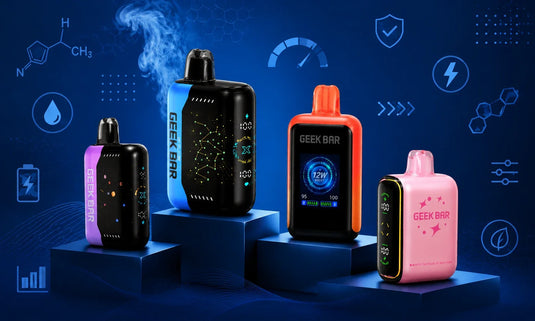
If you just picked up this device and want to know how to use Geek Bar Pulse X right out of the box, you are in the right place. The Geek Bar Pulse X is a rechargeable disposable vape loaded with 18 mL of e-liquid, a 5% nicotine strength, and two distinct vaping modes that let you customize every session. Whether this is your first disposable or you are upgrading from the original Pulse, this guide walks you through everything, from setup to recharging, so you can start vaping with confidence.
Explore Our Categories


Table of contents
A Brief Introduction to the Geek Bar Pulse X
Before we dive in, here’s a quick snapshot of what you’ll be using.
Feature |
Specification |
Product Type |
Rechargeable Disposable Vape |
E-Liquid Capacity |
18.0 mL |
Nicotine Strength |
5% (50 mg) |
Regular Mode Puffs |
Up to 25,000 (approx.) |
Pulse Mode Puffs |
Up to 15,000 (approx.) |
Battery |
820 mAh, Type-C rechargeable |
Coil |
Dual Mesh |
Display |
Starry UI Screen |
What’s in the Box
When your Geek Bar Pulse X arrives, open the outer packaging and take out the device. You will notice two things before you can start vaping:
- A plastic screen protector covering the Starry UI display. Remove it to reveal the full screen.
- A silicone plug is seated inside the mouthpiece. Remove this plug before taking your first puff, or the device will not draw properly.
Once both are removed, the device is nearly ready. Now you just need to choose your Mode.
How to Use Geek Bar Pulse X: Step-by-Step Guide
Getting started with the Geek Bar Pulse X takes less than a minute. Follow these steps:
1. Take the device out of the packaging.
2. Peel off the plastic screen protector from the Starry UI display.
3. Pull the silicone plug out of the mouthpiece.
4. Find the switch located at the bottom of the device. Slide it to your preferred Mode (see the Mode guide below).
5. Place the mouthpiece between your lips and inhale. The device is draw-activated, so you don't need to press any buttons.
6. Watch the Starry UI screen light up, showing your battery level, e-liquid level, and current vaping Mode.
That is all it takes. The Geek Bar Pulse X is designed to be intuitive from the moment you pick it up.
Understanding the Power Switch
The physical switch at the bottom of the device has three positions:
- Off: Locks the device to prevent accidental firing. Use this when storing or transporting the device.
- Regular Mode (bottom position): Activates the alternating single-coil configuration for up to approximately 25,000 puffs. Delivers a smooth, consistent draw.
- Pulse Mode (top position): Activates the dual-coil configuration, simultaneously boosting output to approximately 25W for up to approximately 15,000 puffs. Produces denser vapor and a more intense flavor profile.
Reading the Starry UI Screen
A key highlight of the GeekBar Pulse X is its eye-catching animated Starry UI display:
- Battery Percentage: Displayed at the top, it keeps you informed of the remaining battery life at all times.
- E-Liquid Level: A droplet icon tracks how much of the 18 mL supply is left, helping you plan ahead.
- Vaping Mode: An icon changes to reflect whether you are in Regular or Pulse Mode at any given time.
How to Recharge the Geek Bar Pulse X
Unlike standard disposables, the Geek Bar Pulse X is fully rechargeable, which is one of the reasons it can support such a high puff count. Here is how to charge it:
Find the Type-C charging port positioned at the device's bottom.
Connect a standard USB-C cable (not included) to the port.
Connect the other end to a suitable power source, like a laptop, wall charger, or power bank.
The screen will indicate charging status. Once the battery icon shows full, the device is ready.
Tip: Recharging before the battery fully drains helps the device perform consistently across both Modes.
Regular Mode vs. Pulse Mode: Which Should You Choose?
Both Modes use the same 18 mL e-liquid supply and the same Dual Mesh coil technology, but they deliver a noticeably different experience:
Feature |
Regular Mode |
Pulse Mode |
Approx. Puff Count |
25,000 puffs |
15,000 puffs |
Vapor Production |
Smooth, Moderate |
Denser, more cloud |
Flavor Intensity |
Consistent, balanced |
Bolder, more intense |
Best For |
All-day use, longer device life |
Shorter sessions, big flavor bursts |
Airflow / Draw Style |
2 airflow holes open — medium Mouth-to-Lung (MTL) draw |
3 airflow holes open — loose MTL or Restricted Direct-Lung (RDL) draw |
Wattage Output |
~12W |
~25W |
Note: The airflow on the Geek Bar Pulse X is directly tied to the mode switch — there is no independent airflow control. Switching modes automatically changes both power output and airflow.
Regular Mode is the go-to for everyday use and maximum device longevity. Pulse Mode is perfect for a more intense experience in a quick session. Simply adjust the bottom switch to switch between modes whenever you like.
Maximize Your Experience with the Geek Bar Pulse X: Helpful Tips
- Pace your puffs: Allow a second or two between draws to keep vapor quality consistent, especially in Pulse Mode.
- Keep it charged: Plugging in via the Type-C port before the battery hits empty helps maintain stable performance throughout the device’s life.
- Store upright: Storing the device upright when not in use ensures the e-liquid is evenly distributed around the Dual Mesh coil.
- Use the Off switch when traveling: Sliding the switch to the Off position prevents accidental firing in your bag or pocket.
Fixing Common Problems: A Quick Guide
Experiencing issues? Here are some quick solutions:
If the device isn’t activating: Make sure the silicone mouthpiece cap is fully removed. Also, confirm that the bottom switch is not in the Off position.
Burnt or harsh taste: Wait a moment longer between puffs to allow the Dual Mesh coil to re-saturate. If the issue continues, check the e-liquid level on the Starry UI screen. A low e-liquid level is often the main culprit.
If the screen isn’t turning on: If the Pulse X doesn't light up when connected to a computer, try connecting it to a wall adapter instead, and make sure it's a low-amperage adapter, not a smartphone charger.
Final Thoughts
The Geek Bar Pulse X is one of the most feature-rich rechargeable disposables on the market, and it is genuinely easy to use once you know the basics. From the Starry UI screen to the dual vaping Modes and the Type-C charging port, every part of this device is designed with convenience in mind. Ready to get yours? Browse the full Geek Bar Pulse X collection at Geekbarnow.com and find the flavor that fits your style.
Frequently Asked Questions
How does the Geek Bar Pulse X compare to the original Geek Bar Pulse?
The Pulse X has a larger 18 mL e-liquid capacity, a bigger 820 mAh battery, a higher puff count (up to 25,000), and features the world’s first 3D curved LED screen.
Do I need to charge the Geek Bar Pulse X before using it for the first time?
No, it comes pre-charged and pre-filled. If you notice weak vapor or a low battery, charge it for 15-20 minutes.
How can I tell if my Geek Bar Pulse X is running out of e-liquid?
The Starry UI screen shows a real-time e-liquid level. When the droplet icon is empty, and the flavor weakens, it’s time to replace the device.
When should I replace the Geek Bar Pulse X?
When the e-liquid level indicator on the Starry UI screen shows empty and the flavor begins to fade, the device has reached the end of its life. When that happens, it's time to dispose of the device responsibly and grab a fresh one.
Want to learn more about Geek Bar Pulse X Vape? If you have any questions, you can email us at support@geekbarnow.com, call us at 16787493660, or visit our blog section. Our support team is here to help you.