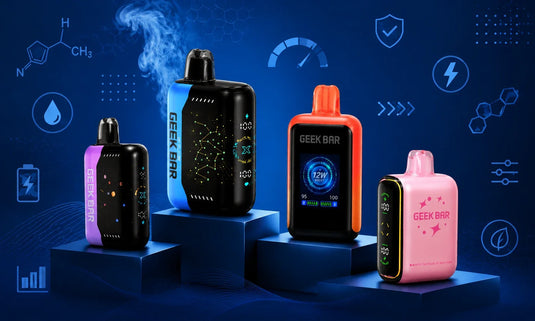
If you've ever looked at the little switch on your new Geek Bar and wondered what it actually does, this guide is for you. We're breaking down what the switch on the bottom of a Geek Bar is, why it exists, how it changes your hit, and how you can use it like someone who actually reads the manual instead of just ripping it out of the box.
Explore Our Categories


Table of contents
Importance of the Geek Bar Switch
The switch on the bottom of a Geek Bar is a control that lets you change how your device performs instead of being just a random plastic slider. On compatible models, that bottom switch usually controls your vaping mode, airflow feel, and in some cases even lets you fully shut the device off when you're not using it.
Think of it like "performance mode" on your phone or laptop: one side keeps things smooth and efficient, the other side dials everything up for max clouds and intensity. On modern high-end disposable vapes like Geek Bar Pulse and similar devices, that tiny switch is your main way to customize the experience without dealing with menus, apps, or extra buttons.
Switch Core Purpose: Understanding the Dual-Mode Switch
The core purpose of the bottom switch is to give you two different ways to vape on the same device. On dual-mode Geek Bar devices, that switch typically lets you move between a regular, more efficient mode and a boosted mode that hits harder, pulls more power, and throws bigger clouds.
In "regular" mode, the device focuses on consistency and longer-lasting performance, keeping the power level more stable across puffs. In the higher-powered "pulse" or performance mode, the device uses more aggressive power delivery or dual-core/dual-coil output to intensify flavor and vapor, which is ideal when you're in full vibe-out mode rather than just sneaking a quick puff.
For some models, the switch also doubles as an on/off or "close" control, so you can shut everything down when it's riding in your bag or pocket. That simple slider is basically your whole control panel: off, chill mode, and full-send mode, all in one line.
The Technology Behind the Bottom Switch
Behind that simple switch is a smart little system that tells the chip inside your Geek Bar how to behave. Modern devices like the Pulse family use an internal controller that adjusts power delivery, coil usage, and protection features based on which mode the switch is set to.
In a regular mode position, the device may lean on a more conservative power curve or a single-core operation so that each puff stays similar from the start to near the end of the device's life. When you flip the switch into the high-output mode, that controller may trigger dual-core or dual-coil operation and a more intense firing pattern to ramp up vapor production and flavor density.
The switch itself is just a physical selector; the "magic" comes from the way the chip reacts to each position, ramping power up or down and managing things like temperature and resistance to keep the experience smooth. Some devices also integrate that behavior with the screen and icons, so when you toggle the switch, the display shows which mode you're in at a glance instead of leaving you guessing.
Why the Switch Matters for Performance and Control
The bottom switch matters because it turns a simple disposable into something that actually feels tuned to your mood, not just one-size-fits-all. Instead of being stuck with whatever draw and intensity the device ships with, you get a way to choose how hard it hits, how fast it uses its power, and how the puff feels overall.
On a regular day when you're just taking casual puffs, the standard mode keeps things smoother and more balanced, giving you a more controlled experience. When you're out late, hanging with friends, or just want that "turn it up" feel, switching to the performance mode gives a stronger, more dramatic puff that feels built for those moments.
The switch also helps with pocket control and peace of mind on supported models that use it as a close/off setting, since you can flip it so the device doesn't activate while you're moving around. For vapers who care about both convenience and customization in a rechargeable disposable vape, this little control is a big deal because it lets a plug-and-play device behave more like a tuned setup without needing any advanced knowledge.
Which Geek Bar Devices Feature a Bottom Switch?
Not every single Geek Bar has a bottom switch, but several of the more advanced, screen-style disposables do. Devices in the Geek Bar Pulse line and similar high-tech disposables are known for including a bottom switch that toggles between standard and enhanced modes, often paired with full or partial LED displays.
These devices are designed with mode-switching baked into the experience, so the bottom switch is part of the core design, not an afterthought. When you shop at Geek Bar Now, you'll see that the focus is on those modern, spec-filled disposables that bring dual modes, animated screens, and detailed status info rather than ultra-basic one-mode sticks.
If you're looking at a Geek Bar-style disposable and see a slider or switch on the base, there's a good chance that's your mode and/or airflow control, while devices without that switch usually just stick to a single power profile with no tweaking. Always check the product details to confirm whether that particular model supports a dual-mode setup through the bottom switch.
How to Use the Geek Bar Switch the Right Way
Using the switch in the right way is simple once you know what each position does on your specific device. On dual-mode Geek Bar-style disposables, you'll usually see one position for "close" or off, one for regular mode, and one for the boosted mode, often labeled or indicated visually on the screen.
A basic way to use it is: set the switch to the standard mode when you're just getting started or want a smooth, reliable puff throughout the day, then slide it into the high-output mode when you want a stronger hit or bigger vapor. If your model supports a fully closed/off position, make a habit of sliding it there when you toss it in a pocket, bag, or car compartment, so you reduce the chance of accidental activation and keep everything under control.
When you first unbox a new device with a bottom switch, take a few puffs in regular mode, then flip the switch and feel the difference in real time so you can lock in which setting you enjoy most for your everyday use. Treat the switch like your quick-access settings bar: no apps, no menus, just a simple slide and the vibe changes.
Tips to Get the Best Performance Using the Switch
There are a few easy habits that help you get the most out of that switch and keep your Geek Bar experience dialed in. First, match the mode to your context: use regular mode when you're going to be hitting the device all day, and save the boosted mode for short sessions when you really want that "turn it up" feel.
Second, pay attention to how the device responds after switching modes. If your screen shows icons or animations, use them as quick cues to make sure you're actually in the mode you think you are before you start hitting it. Third, avoid constantly flipping the switch back and forth every couple of puffs; give each mode a little time so the internal controller can run consistently instead of being toggled nonstop.
If your device has a close/off position, make it part of your routine: done for now, slide to close; ready to vibe again, slide back to regular or performance mode. Finally, remember that even though it's disposable, the dual-mode and switch design puts it closer to a tuned setup than a basic stick, so treating it with that mindset will help you get a cleaner, more satisfying experience over its lifespan.
Key Takeaways
The switch on the bottom of a Geek Bar controls your vaping mode and, on some models, can also act as an off/close setting.
The main purpose of the switch is to let you choose between a regular (smooth, efficient) mode and a boosted (stronger, more intense) mode.
Only certain advanced Geek Bar-style devices feature this bottom switch, especially dual-mode, screen-equipped disposables.
Using the switch correctly means matching the mode to your situation: regular for all-day use, boosted for short, high-intensity sessions.
Treating the switch as your quick-access control panel helps you get a more customized, satisfying experience from a disposable device.
Final Thoughts: Why the Switch Is More Than a Simple Feature
When you look at what the switch on the bottom of a Geek Bar is from a bigger-picture angle, it's clearly more than just a tiny piece of plastic on the base of your device. It's the piece that turns a simple disposable into something that flexes with your day.
Geek Bar features a bottom switch that works seamlessly with advanced technology like dual-core processors, smart controllers, and vibrant displays. This gives users a customizable experience that was once only found in more complicated devices. If you're looking for disposable vapes that offer more than just basic functionality, the bottom switch is a key reason why these devices stand out in the market. Explore a wide range of Geek Bar vapes at GeekBarNow.com and discover the perfect device tailored to your vaping needs for a personalized experience.
Want to know more about Geek Bar? Visit our blog section or contact us via email at support@geekbarnow.com, or you can call us at 16787493660 to clarify your doubts. Our expert support team is here to help you, so make sure to contact us whenever you need guidance choosing your next device or figuring out your ideal mode setup.