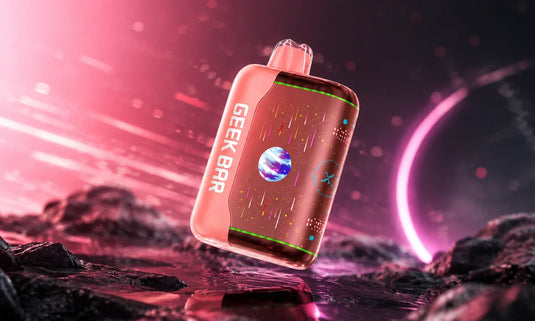
If you've ever asked yourself how to charge a Geek Bar correctly, you're among many others who have too. New vapers often find themselves confused about the charging process, especially when their Geek Bar device doesn't seem to work as expected. Whether you're using the Geek Bar Pulse or Geek Bar Pulse X, understanding the right way to charge your device can prevent common issues and maximize the life of your vape. This guide will walk you through everything you need to know, from locating the charging port to troubleshooting charging problems.
Explore Our Categories


Know About Your Geek Bar Device
Before diving into the charging process, it's essential to understand your Geek Bar device's features. Different models have unique charging requirements and features that affect how you charge them.
Geek Bar Pulse Special Features
Geek Bar Pulse is a cutting-edge device with a USB-C charging port that supports fast charging capabilities. It features a sleek display showing battery life and vape juice levels, allowing you to stay informed while enjoying your vaping experience. With its mesh coil technology and adjustable airflow, the Pulse provides smooth, customizable hits.
Product Type: Rechargeable Disposable Vape
Battery: 650mAh USB-C Rechargeable
-
Approximate Puffs:
Regular Mode: 15,000 Puffs
Pulse Mode: 7,500 Puffs
E-liquid Capacity: 16ml
Nicotine Strength: 50mg
Coil Type: Dual Mesh
Mode: Pulse
LED Display: Battery & E-Liquid Levels
Geek Bar Pulse X Special Features
Geek Bar Pulse X also offers fast charging technology, reaching 80% charge in just 20 minutes. It boasts a dual mesh coil for superior flavor production and a smart display to monitor battery life. With a larger capacity, the Pulse X can deliver up to 25,000 puffs, making it an ideal choice for those who want long-lasting performance.
Product Type: Rechargeable Disposable Vape
E-liquid contents: 18.0 mL
Nicotine Strength: 5% (50 mg)
-
Provide Two Vaping Modes, Each with Different Puff Counts:
Regular Mode: 25,000 Puffs approx.
Pulse Mode: 15,000 Puffs approx.
Battery Power: 820 mAh
Rechargeable: Type-C
Coils: Dual Mesh
Screen Type: Starry UI
Preparing to Charge Your Geek Bar
Proper preparation is key to ensuring your Geek Bar charges efficiently. This section covers what you'll need and how to locate the charging port.
What You'll Need to Charge Your Geek Bar
To charge your Geek Bar, you'll need a USB-C cable that is compatible with your device, along with a wall adapter that provides at least 5V/2A of output. Avoid using chargers designed for larger devices, as they can overheat and damage the battery. Always inspect the charging cable for wear and tear to avoid potential issues.
How to Find the Charging Port
The charging port for most Geek Bar models is located at the bottom of the device, usually protected by a rubber cover to keep it free from dirt and moisture. For some models, you may find the port on the side. Make sure to clean the port with a cotton swab or toothpick if you notice any dust or debris before plugging in your cable.
How to Charge Your Geek Bar in the Right Way
Charging your Geek Bar correctly ensures it works smoothly and lasts longer.
Plugging in the Charging Cable
Once you've located the charging port, securely connect the USB-C cable to the device. Make sure the cable fits snugly in the port. A loose connection may result in slow charging or no charge at all. Never force the cable into the port if it doesn't fit correctly.
Choosing the Right Power Source
For optimal charging speed, use a wall adapter that provides a 5V/2A output. While charging via a computer USB port is possible, it may take longer. Avoid using high-wattage smartphone chargers, as they could damage your Geek Bar battery in the long run.
Keeping an Eye on the Charging Process
Monitor the charging process by checking the Geek Bar's display (if applicable) or LED indicator lights. Most models show a solid light while charging, and the light may change color when fully charged. For fast charging devices like the Pulse X, the battery can reach 80% in just 20 minutes.
Understanding Geek Bar Charging Lights
Charging lights provide valuable information about the device's battery status.
What the Lights Mean During Charging
A solid light during charging typically indicates that power is flowing to the device. The light may change to green or turn off once fully charged, depending on your Geek Bar model. Pay attention to the light's pattern to ensure proper charging.
What to Do if the Lights Flash or Blink
Flashing lights can indicate various issues, such as a low battery or a poor connection. If you notice flashing lights, check the charging cable, port, and power source. Ensure they are working properly and reattach the cable securely.
What to Do if the Lights Aren't Working
If the charging lights do not turn on, first clean the charging port to remove any dust or debris. Then, try a different charging cable or power source. If this doesn't resolve the issue, your Geek Bar may require professional repair or replacement.
Common Charging Problems and How to Fix Them
Sometimes, your Geek Bar might not charge as expected. Here's how to solve common issues.
When Your Geek Bar Won't Charge
If your Geek Bar doesn't charge, ensure the charging port and cable are free of dirt. Try using a different power source or cable. If the issue persists, it could be due to a malfunctioning battery or port, which may require professional assistance.
Why Your Geek Bar Battery Drains Quickly
If you notice that the battery drains faster than usual, it may be due to using low-quality chargers or frequently using high-intensity Pulse Mode. Always use a suitable charger and switch to Regular Mode if you want to extend battery life.
What to Do if Your Geek Bar Auto-Fires While Charging
If your Geek Bar auto-fires during charging, immediately unplug it from the charger. This issue is often caused by a stuck sensor or overcharging. Allow the device to cool down and check for any mechanical faults.
Tips for Getting the Most Out of Your Geek Bar's Battery
To maximize the lifespan of your Geek Bar's battery, follow these tips:
Avoid Overcharging
Overcharging can lead to battery degradation. Unplug your Geek Bar once it's fully charged to prevent unnecessary stress on the battery.
Proper Storage for Longer Battery Life
Store your Geek Bar in a cool, dry place, away from direct sunlight and extreme temperatures. Charging your device to around 50% before long-term storage will help maintain battery health.
Conclusion
By following all the tips above, you can avoid common charging issues and keep your device in top condition. Always use compatible cables and proper charging sources for the best results. If you're looking to try more Geek Bar vapes, get the best selection of Geek Bar models with hassle-free shopping on GeekBarNow.com.
Want to know more about the Digiflavor Sky flavor vape? Visit our blog section or contact us via email at support@geekbarnow.com, or you can call us at 1 (678) 749-3660 to clarify your doubts. Our expert support team is here to help you.