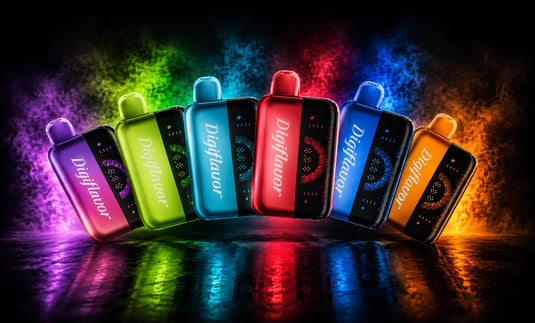
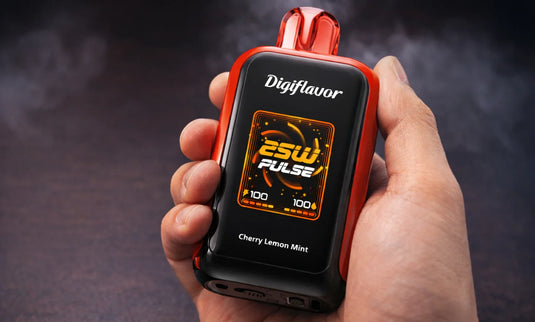
If you're wondering how to use a Digiflavor vape, whether it's your first device or you've upgraded to the Sky 25K or BRK modular pod system, this guide is for you. We'll cover everything you need to know, from setup to usage, helping you understand the unique features of each model. With minimal instructions in the box, we've gathered insights from hands-on experience with these devices, including how to charge, switch modes, understand screen icons, troubleshoot, and verify the authenticity of your unit before your first puff.
Explore Our Categories


Table of contents
What Is a Digiflavor Vape?
Digiflavor is a sub-brand of Geek Bar Vape, the same parent company behind the popular Geek Bar lineup. The brand focuses on premium-feel disposables and pod systems, with an emphasis on dual mesh coil technology, smart TFT screens, and adjustable wattage modes. If the name sounds familiar, that is because the popular Geek Bar Skyview was rebranded as the Digiflavor Sky 25K. When shoppers search for "how to use digiflavor geek bar" devices, they are usually asking about the same product family under a refreshed identity. The current lineup splits into two core models, and once you learn one, the other two feel intuitive.
Digiflavor Vape Lineup at a Glance
A quick orientation before we get into operation:
Device |
Digiflavor Sky 25K |
Digiflavor BRK 20K |
Puff Count |
~25,000 |
~20,000 |
E-Liquid |
16 mL |
12 mL pod |
Battery |
800 mAh |
1000 mAh dock + 200 mAh pod |
Charging |
USB-C |
USB-C on dock |
Modes |
Soft / Norm / Pulse |
Normal / Boost |
How to Use a Digiflavor Vape: Universal Steps
The setup flow below applies to every all-in-one model, with BRK-specific notes called out separately. Follow these in order the first time you use any device.
Inspect the packaging. Look for a tamper-evident seal and a QR or scratch-off code on the back. Skip ahead to the authenticity section before doing anything else if the seal looks broken.
Unwrap the device. Peel off the outer plastic film, then remove the silicone plug from the mouthpiece and the small sticker covering the bottom airflow vent. Skipping this step keeps the auto-draw sensor from registering your inhale.
Charge before first use. Connect a standard USB-C cable to a 5V/1A wall adapter or a laptop USB port. Avoid high-wattage laptop bricks since they can trip the over-voltage protection and refuse to charge.
Power on. The Sky 25K activates automatically when you draw on the mouthpiece. The BRK requires five quick presses of the fire button on the dock to wake or sleep.
Read the screen. Each device shows battery percentage, e-liquid level, current mode, and a puff counter. The icons refresh in real time as you draw.
Pick your mode. Use the side or bottom button to cycle through the available wattage settings. A lower setting extends total puff count, while a higher setting produces denser vapor and stronger flavor.
Inhale steadily. A slow two-second draw works best. Short, hard puffs trigger the auto-draw sensor inconsistently and produce less consistent vapor.
Device-Specific Notes
Digiflavor Sky 25K. Cycle modes by pressing the side button: Soft (12W) for a mellow draw, Norm (18W) for balanced output, and Pulse (25W) for the strongest vapor. The 1.8-inch TFT screen offers five user-selectable UI themes that swap through the same button, so you can match the on-screen color scheme to your personal preference.
Digiflavor BRK Modular System. The pod attaches to the dock with magnets in only one orientation, so never force the connection. The pod includes a small 200 mAh emergency battery for short use without the dock, but pair it with the dock for normal operation. Pods swap in seconds when you want a different flavor, and that is where the value of this digiflavor how to use approach really shows compared to single-piece disposables.
How to Charge a Digiflavor Vape
Plug a USB-C cable into the bottom port and connect the other end to a 5V/1A wall adapter or a laptop port. The screen displays a charging animation along with a live battery percentage. A full charge takes approximately 30 to 45 minutes on the Sky 25K and the BRK dock. The BRK pod includes its own 200 mAh internal battery, so you can keep vaping with the pod alone for short stretches while the dock recharges. Always check the on-screen indicator before drawing during charging, and unplug the cable once the indicator reaches 100 percent. Skip overnight charging.
Troubleshooting Common Issues
No vapor on draw. Lint or dust may be blocking the airflow sensor. Give a firm puff into the bottom charging port to clear it.
Burnt taste. The pod is out of e-liquid. Replace the device or recycle the all-in-one unit, and swap the pod on the BRK.
Black or frozen screen. The battery is fully depleted. Charge for ten minutes and check again.
Will not charge. Try a different cable, then a lower-wattage adapter. If the device still does not respond, the unit may be counterfeit.
Continuous auto-firing. Stop using it right away and contact the retailer for a replacement
How to Confirm Your Digiflavor Vape Is Authentic
Every genuine Digiflavor box carries a verification code. Visit the official Digiflavor website, enter the code from the scratch-off panel, and the system confirms whether your unit is real. Counterfeit copies commonly fail within 50 puffs, ship in slightly off-color packaging, and lack a working QR code. Buying from authorized retailers like Geekbarnow.com sidesteps the issue entirely, since every unit we stock comes through verified distribution channels.
Battery Care and Real Puff Counts
Keep the device out of direct sunlight, never leave it inside a hot car, and only use a USB-C cable in good condition. The advertised puff counts are rated under standardized lab draws, so real-world usage typically delivers a meaningful fraction of the listed number, with high-power settings like Pulse, Boost, or Dynamic shortening the lifespan compared to lower-power modes. Even at the lower end, the Sky 25K still puts most vapers well past 15,000 real puffs, which remains one of the longest runtimes available in any disposable category. Replacing the cable when the connector starts to loosen is a small habit that protects the charging port over the lifespan of the device.
Final Word
Across the Sky 25K and BRK, the operating logic stays consistent: charge, read the screen, pick a mode, and draw steadily. Once you understand how to use Digiflavor vape models in general, moving between them takes minutes rather than another full learning curve. Bookmark this guide for the next time you pick up a new flavor or upgrade to a future release, and check our Geek Bar Now product pages for the latest stock and authentic-only inventory.
This product contains nicotine. Nicotine is an addictive chemical. For adults of legal vaping age only (21+ in the United States).
Frequently Asked Questions
How do I know when it is fully charged?
The battery icon on-screen fills to 100%, and the charging animation stops once the device is fully charged.
Why is the screen blinking?
A blinking battery icon indicates a low charge. Plug the device in to restore normal operation.
Can I use the BRK pod without the dock?
The BRK pod can be used in emergencies with its 200 mAh battery, but it's not designed for full daily use.
Do both models use the same charger?
Yes, all models are compatible with any quality USB-C cable and a 5V/1A adapter.
Why does my Sky 25K screen change color?
The Sky 25K has five user-selectable UI themes. You can change the color scheme through the side button.
Do you want to know more about Digiflavor Geek Bar Vape? Contact our support team at support@geekbarnow.com or call us at 16787493660. For more vaping information, visit our Geek Bar blog.